For food trucks and caterers
Take bookings, not phone calls.
Customers pick a date on your own booking page, see real availability and an exact price, and hold their date with a deposit. You get a calendar that can't double-book your trucks.
3 months free, starting with your first booking
The clock doesn't start when you sign up: it starts the day you get your first booking.
Everything caters.me does for you →
Prefer to set it up together? Talk to Anthony
Trusted by

Your own booking page
One link with your availability, your menu and your prices. Put it on your website, your Instagram, anywhere.
yourbusiness.caters.me
What your customers see
A booking page that answers their questions before they pick up the phone.
Pick a date
They only see dates and times you can actually cover, with your hours, trucks and travel time already taken into account.
See the exact price
Your menu, their headcount, travel and taxes add up on screen, so there's no back-and-forth over a quote.
Hold the date
They confirm by email and get clear deposit instructions, in French or English. The booking shows up in your dashboard.
The full booking, screen by screen
Real screens from a sample business, on a phone. Tap one to see it full size.
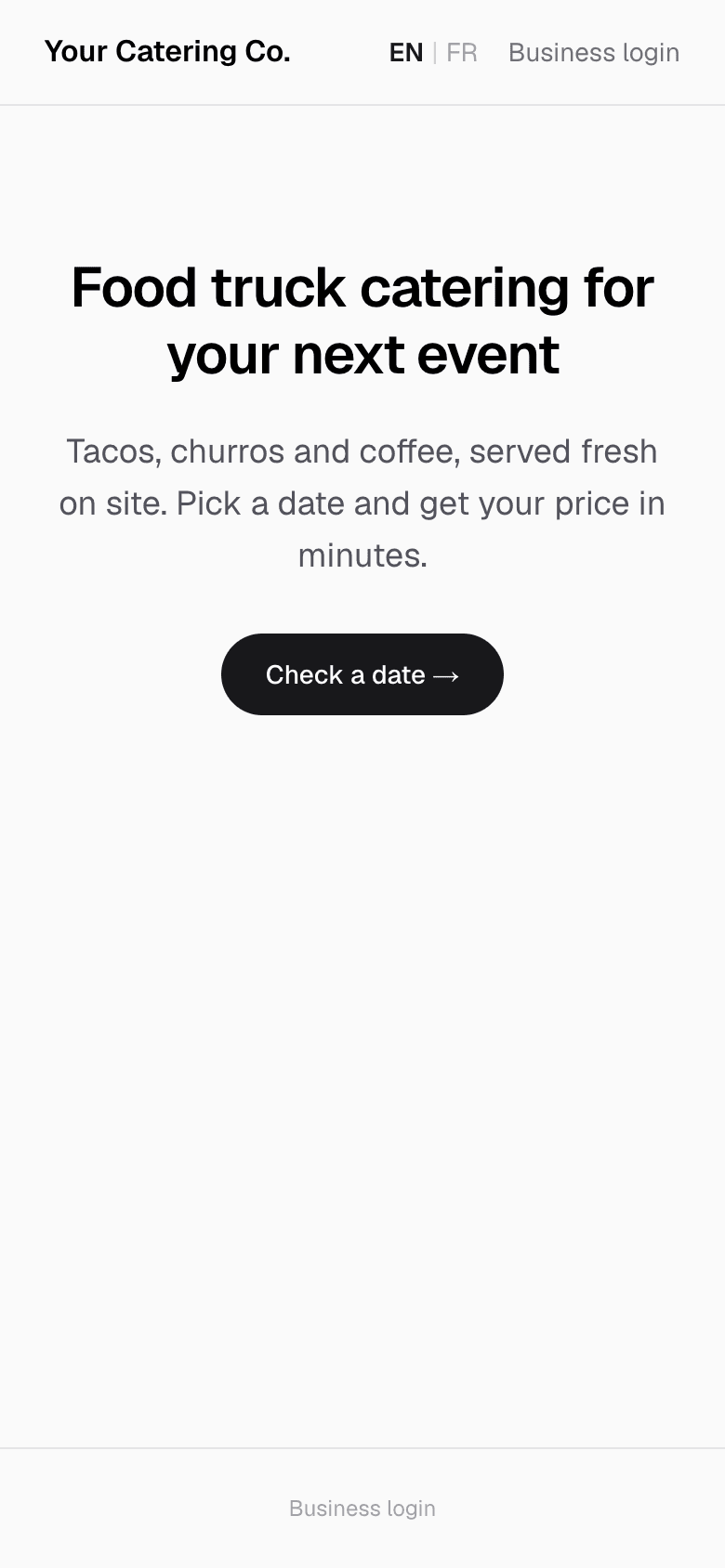
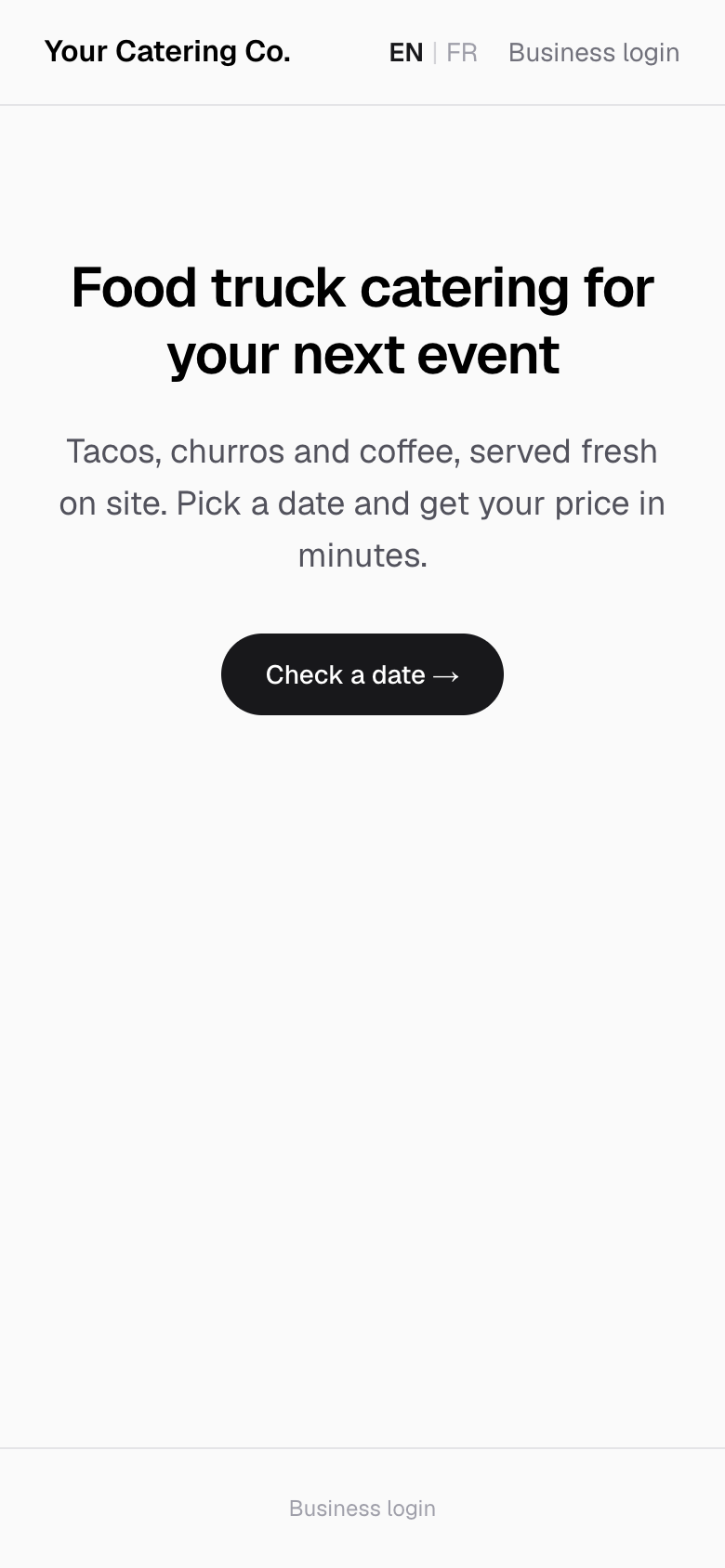
Your page
Your own booking page at yourname.caters.me, with your words and photos.
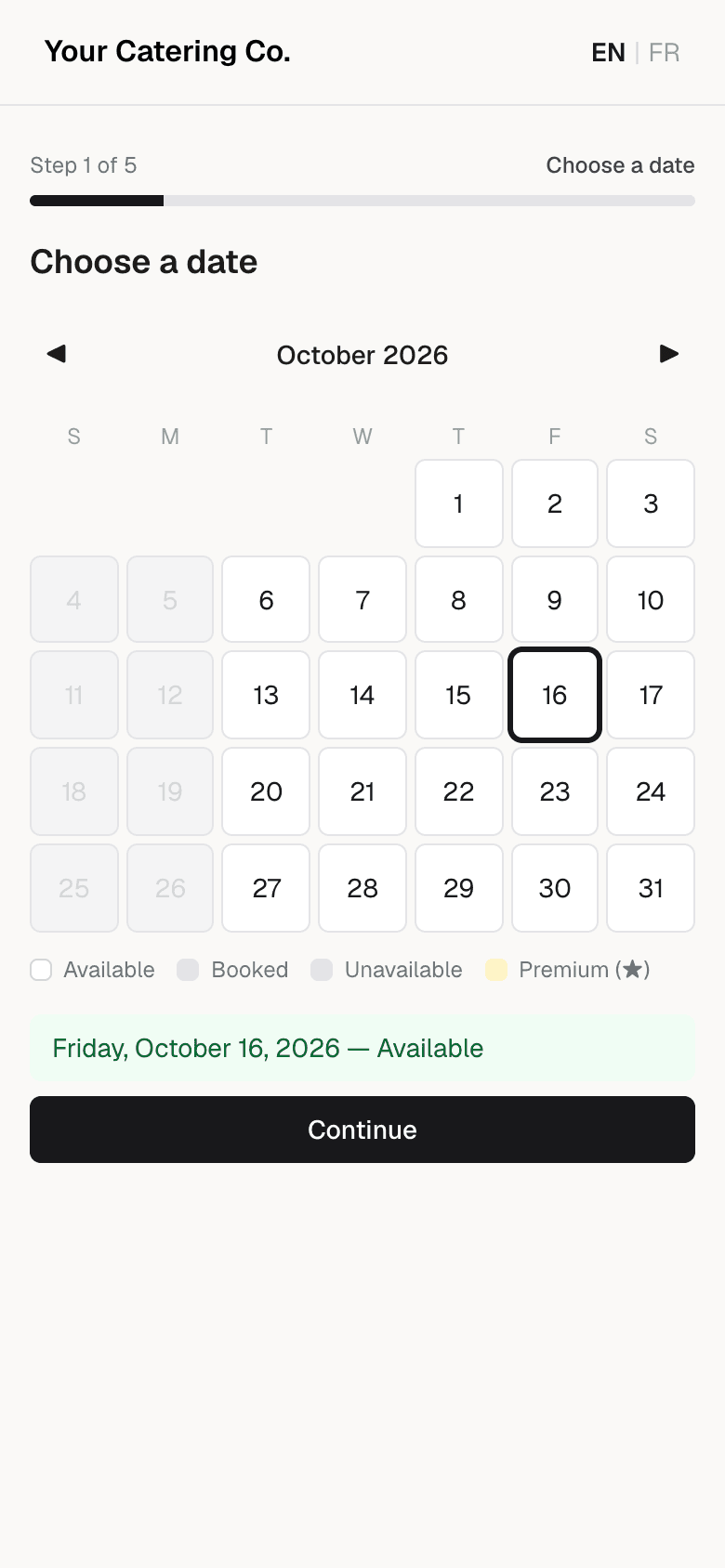
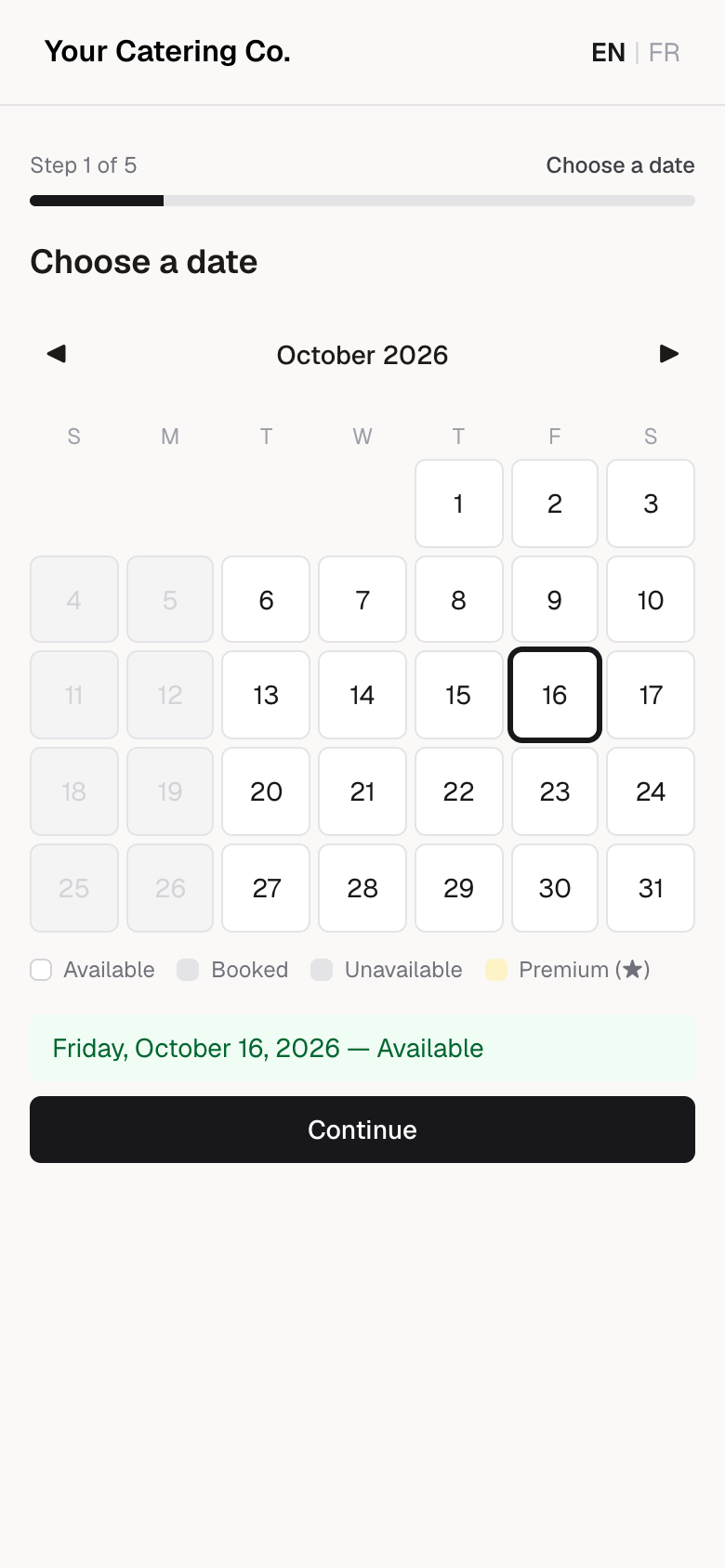
Pick a date
Only dates you can actually cover are open.
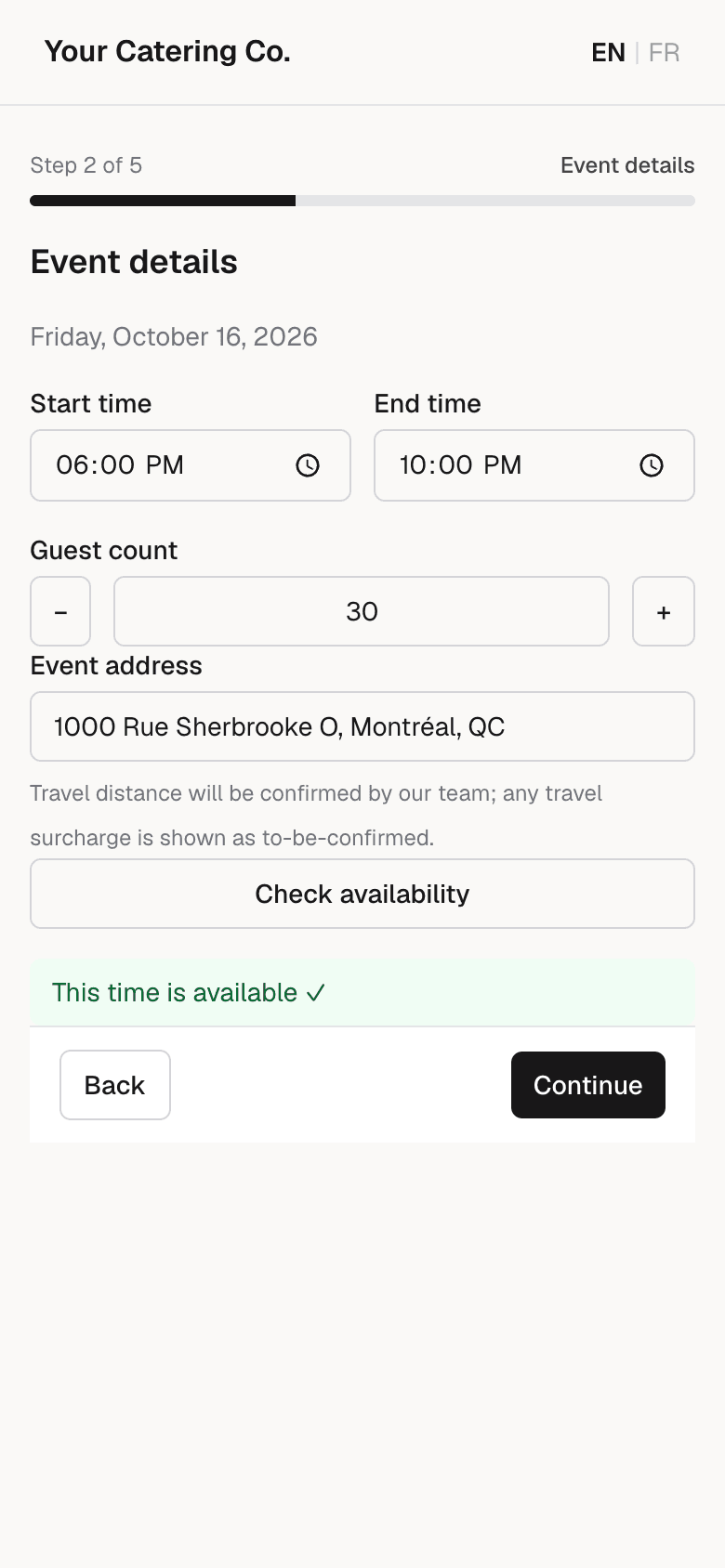
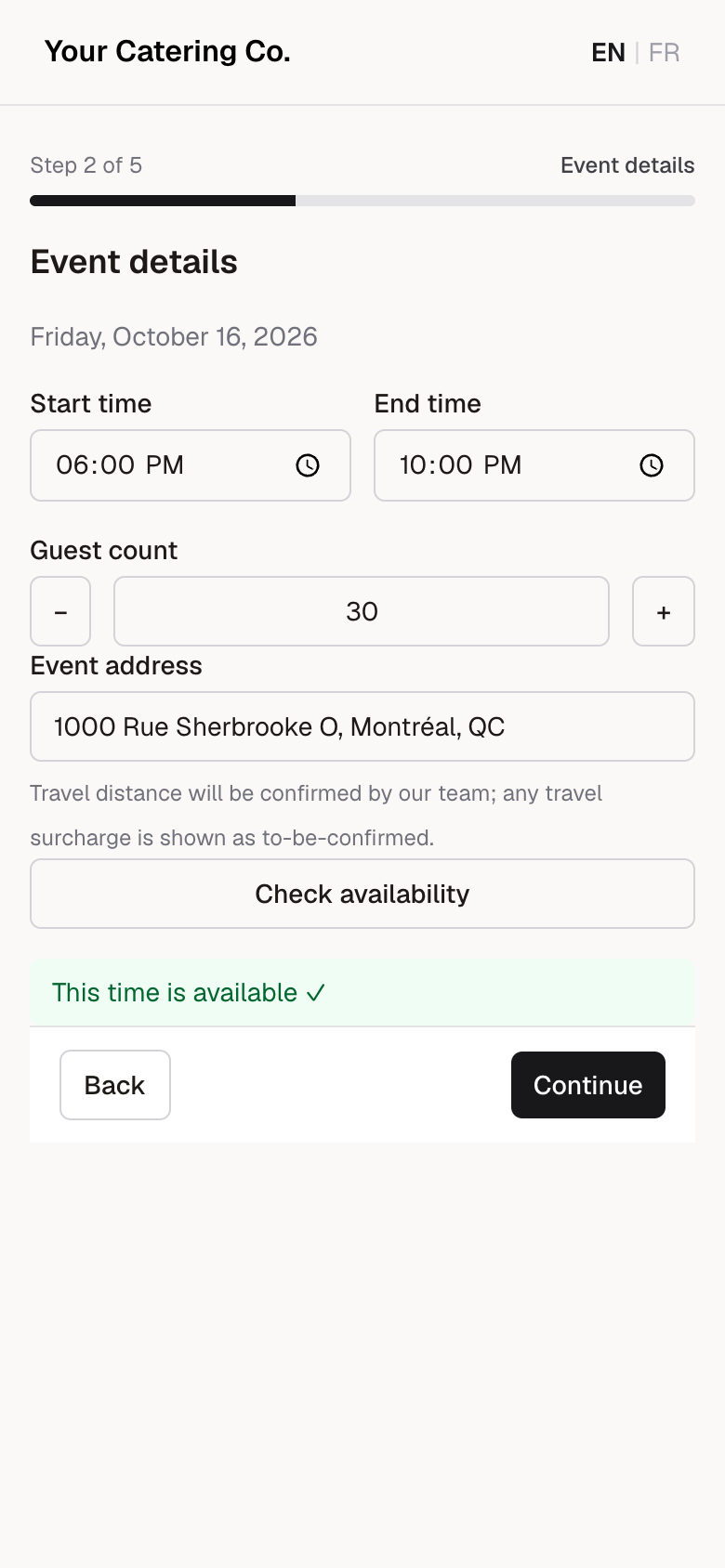
Event details
Time, guest count and address, checked against your calendar and trucks.
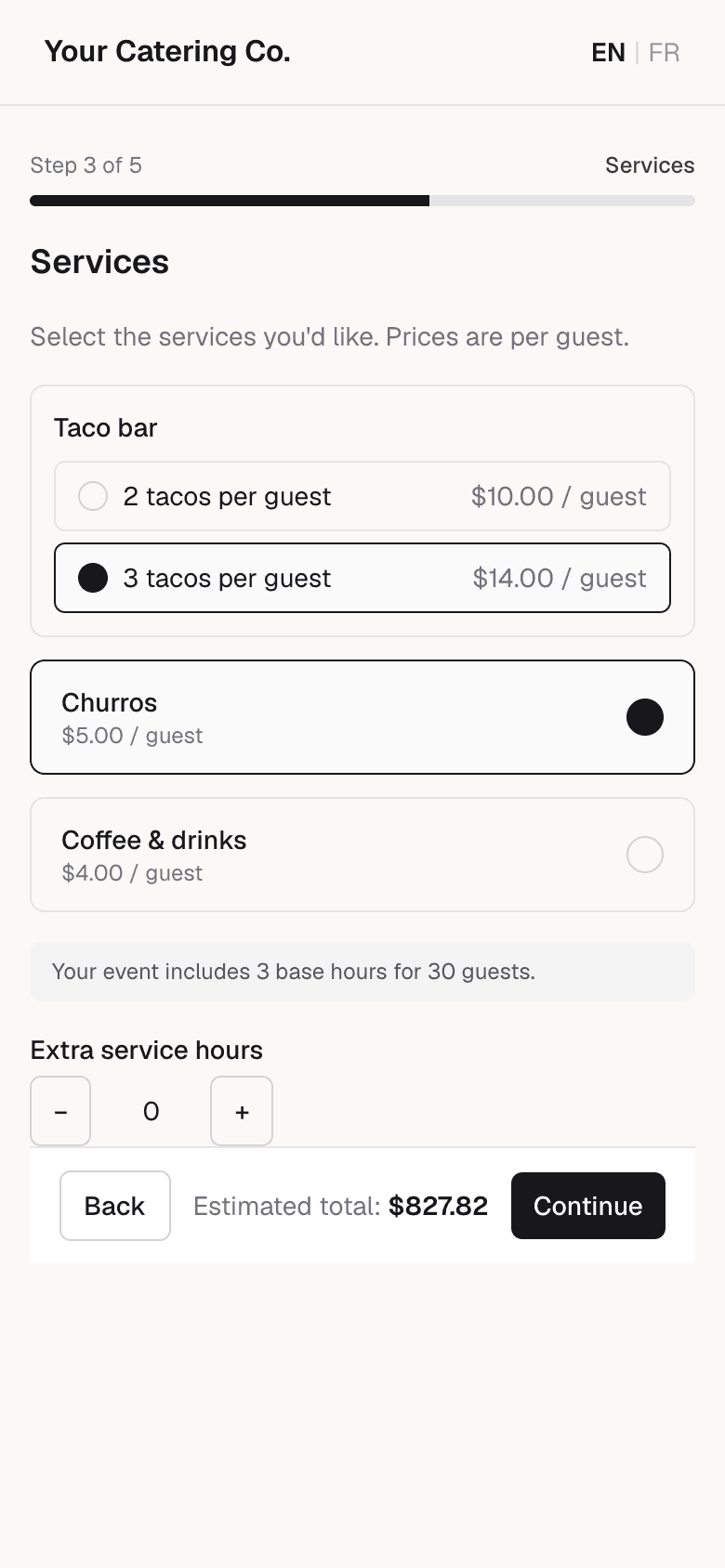
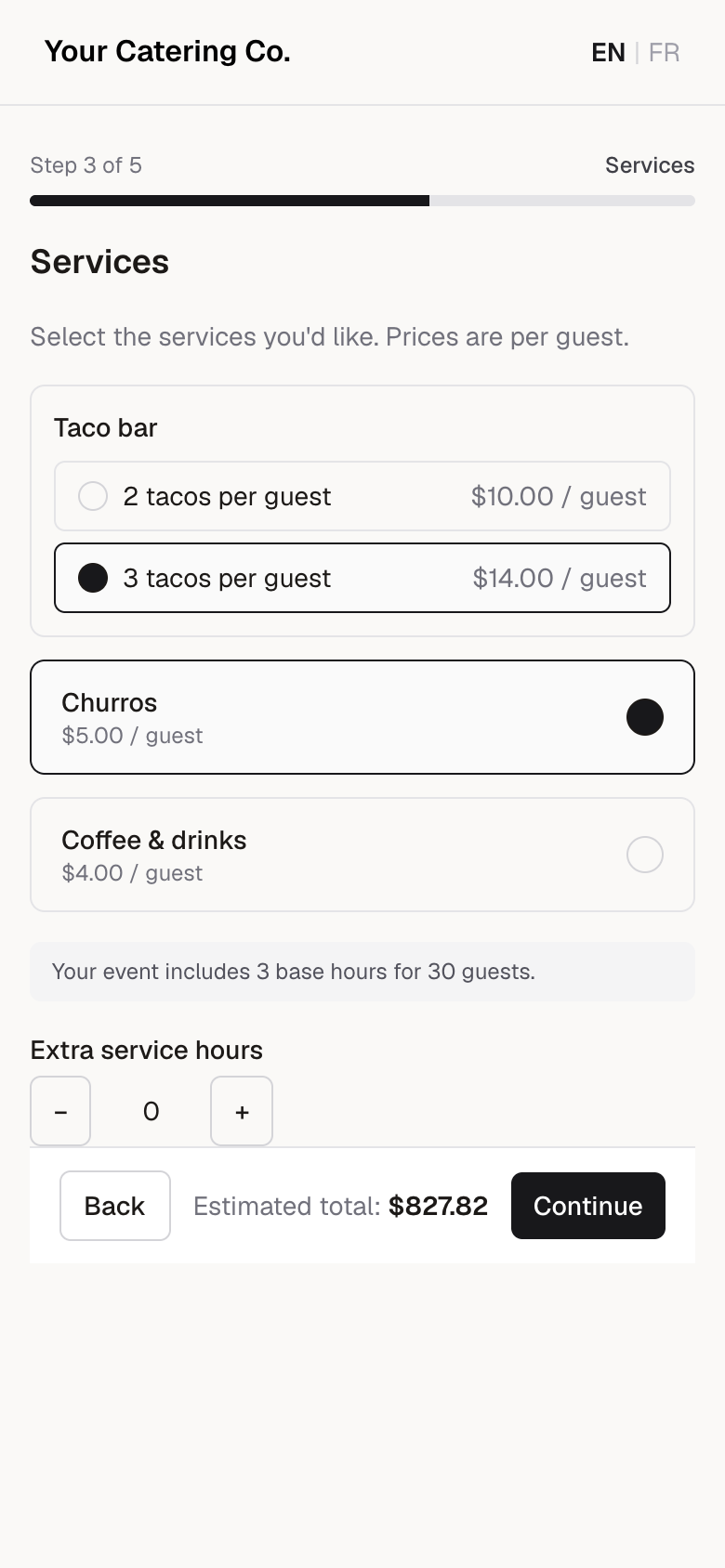
Choose the menu
Your menu and per-guest prices. The total updates as they choose.
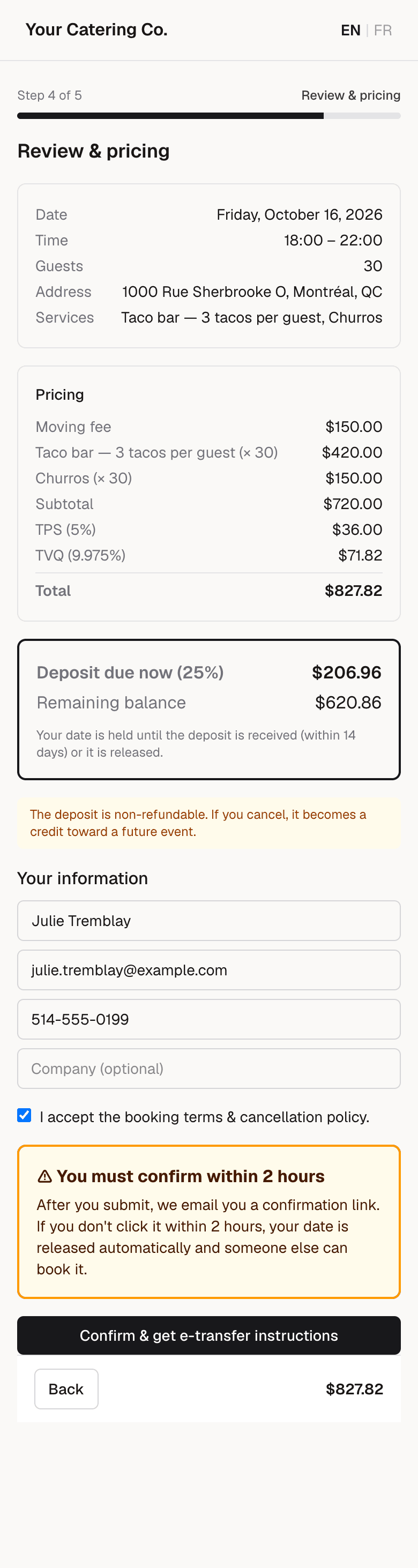
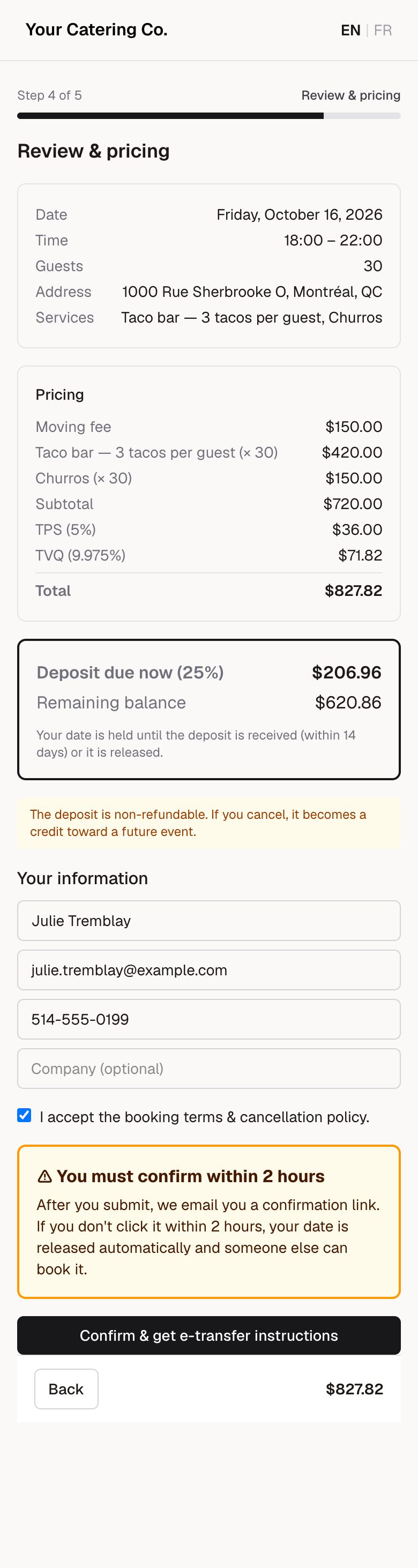
See the full price
Every line, taxes and the deposit, before they commit. Plus a clear warning to confirm by email.
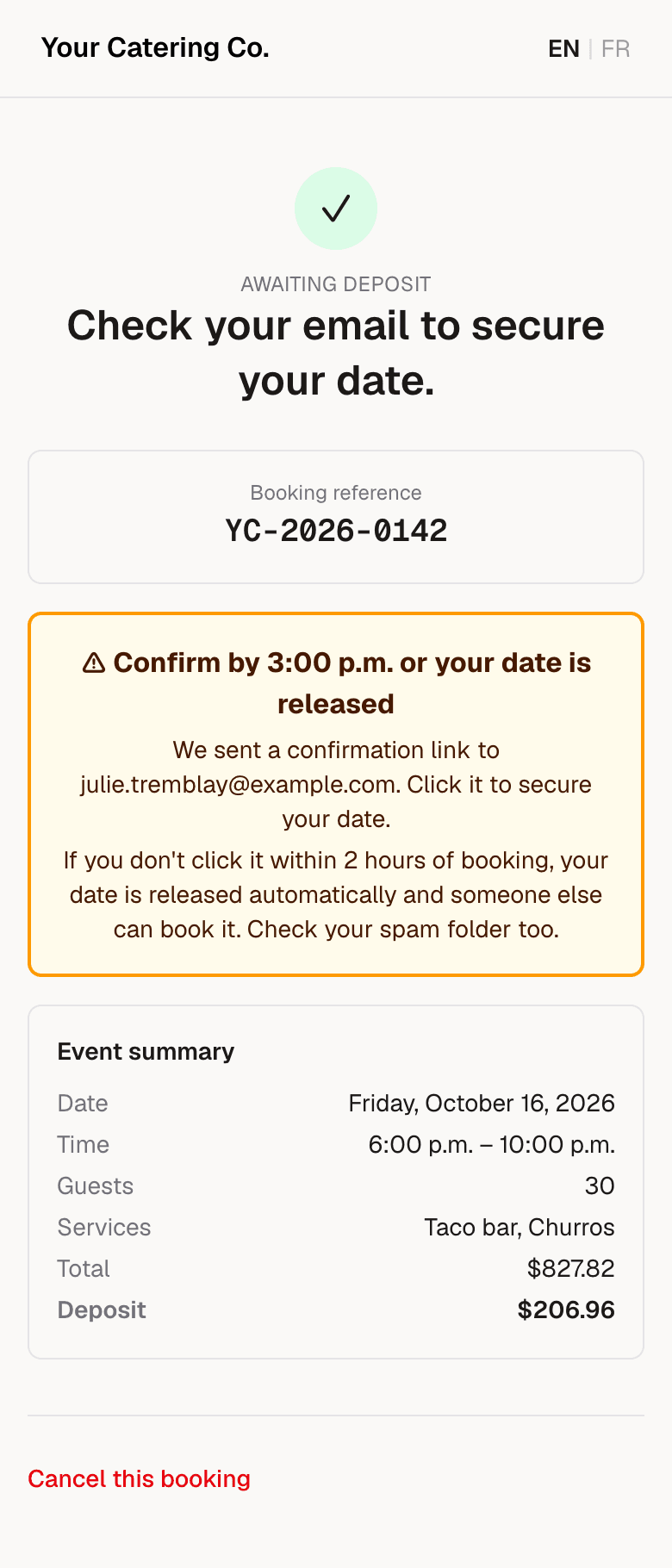
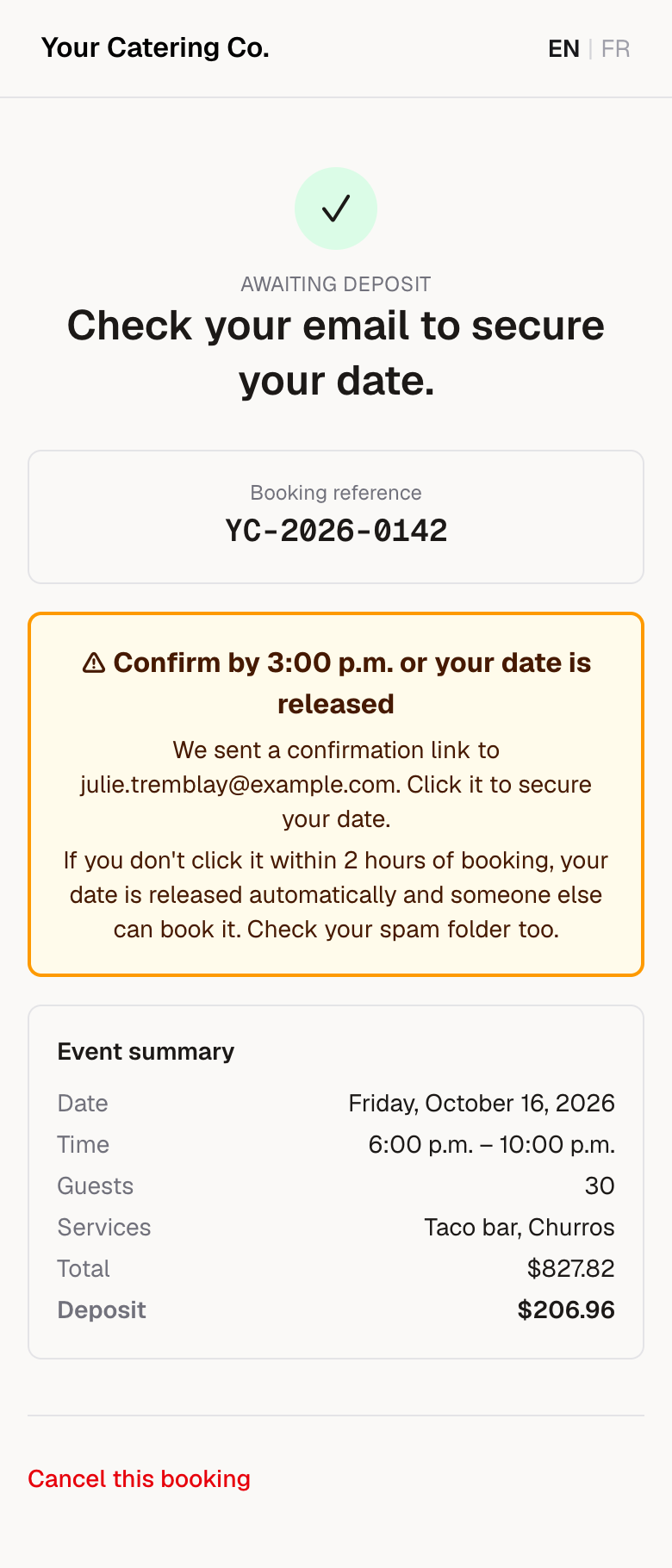
Date on hold
The date is held while they confirm their email. Nobody else can take it.
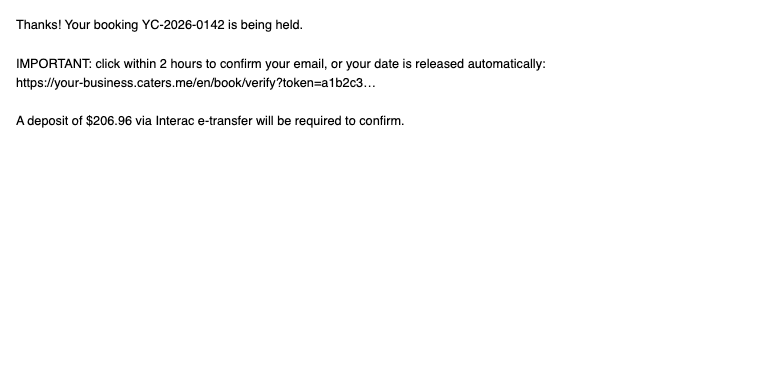
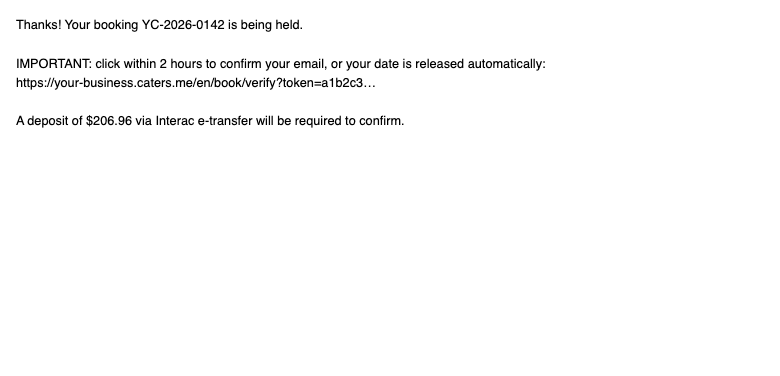
Confirmation email
One click confirms the booking. Unconfirmed holds are released automatically.
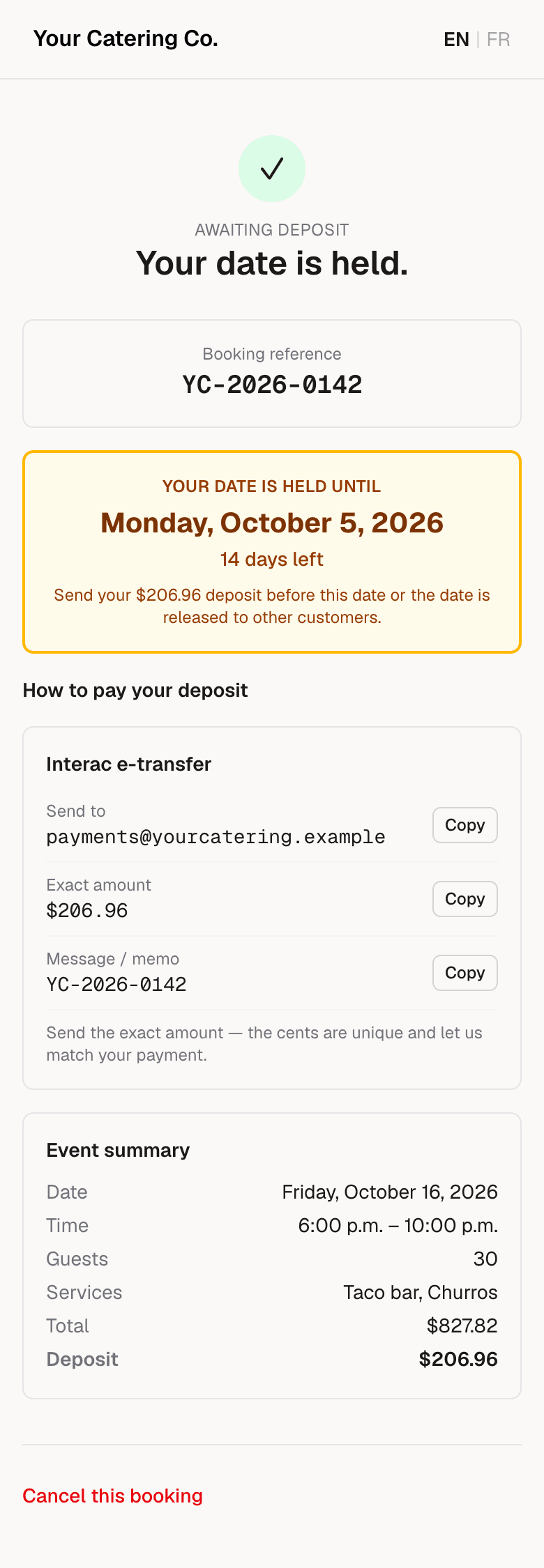
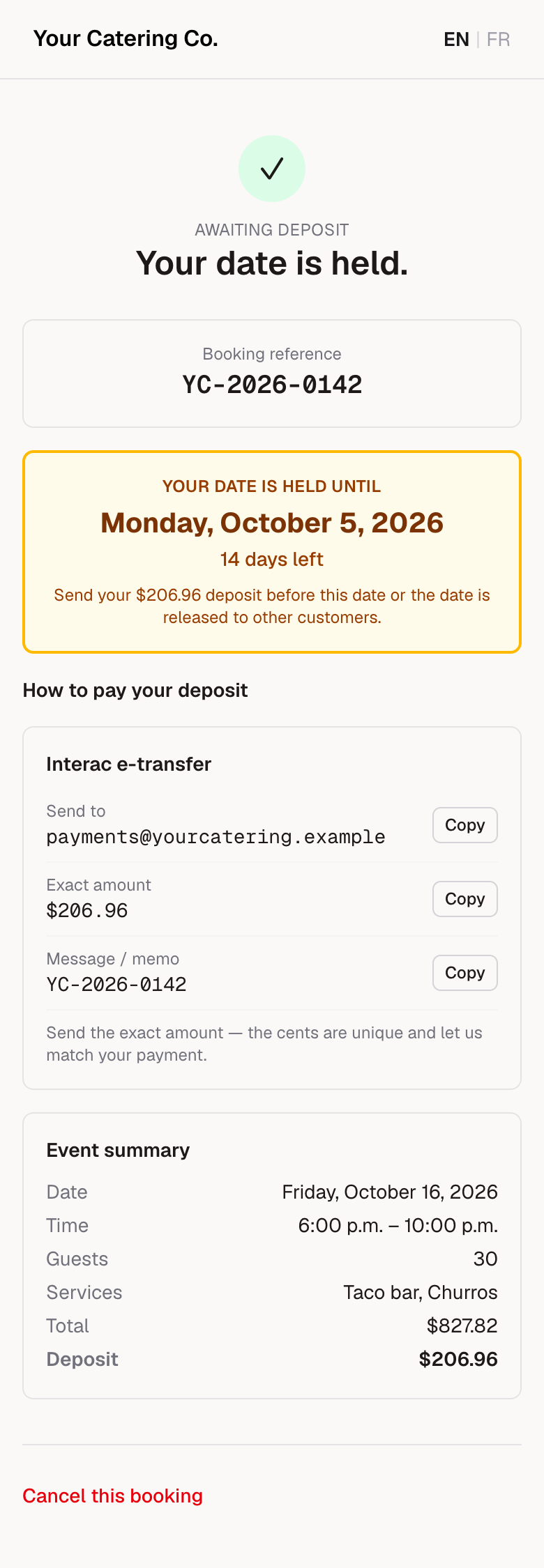
Pay the deposit
The exact e-transfer amount and deadline. You get an email with the booking.
For caterers
Menus that split by guest, not by guesswork.
Serving 50 people means 50 sandwiches, not "some of each". Your customers split their guest count across your menu, item by item, and the total has to add up before they can book.
- You decide the rules. Per guest, split across guests, or extras by quantity, for each part of your menu. Minimums and maximums per item.
- They see the math. A live counter, "34 / 50", a running total, and no way to continue until every guest has a portion.
- You get a prep list. "Grilled chicken × 20, veggie × 14, smoked meat × 16", on the booking and in your email.
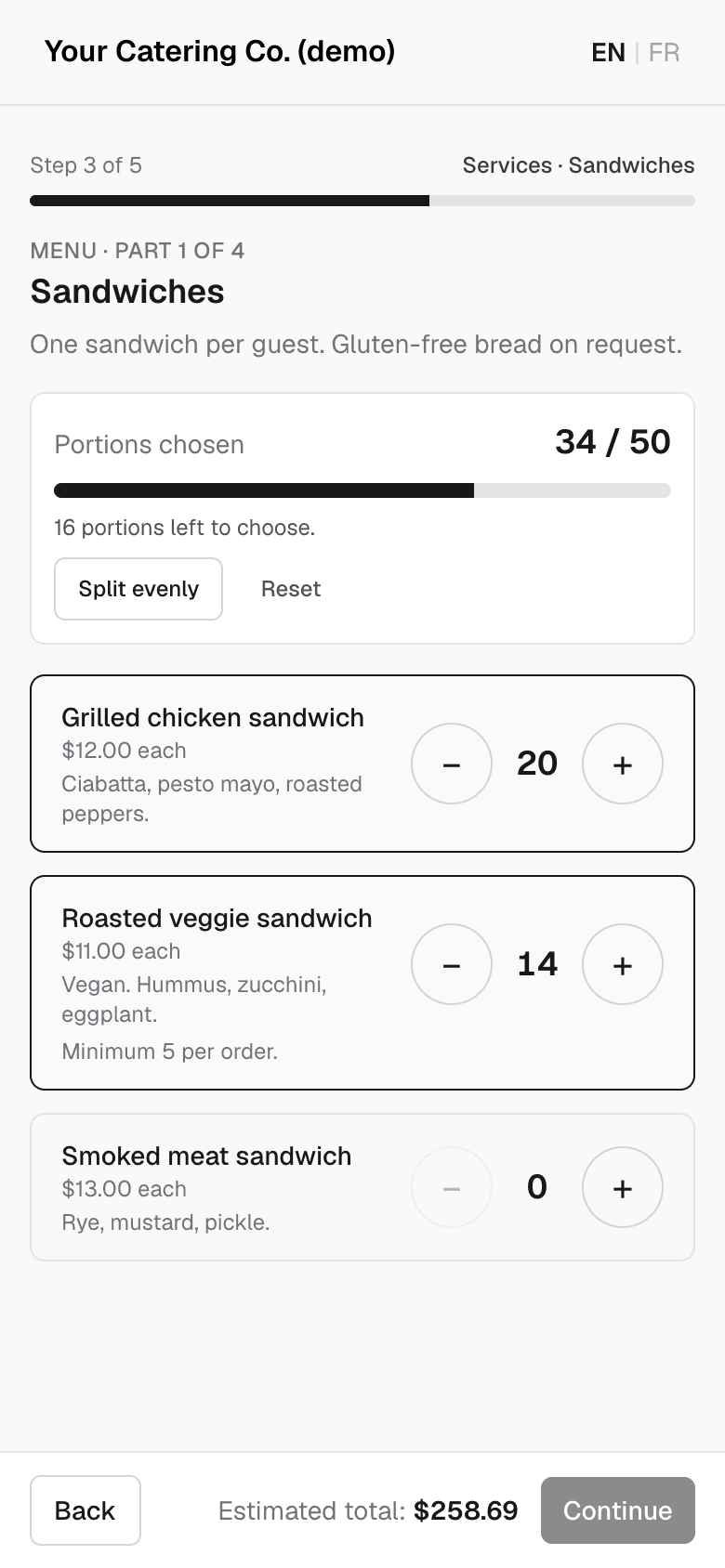
Real screen · sample business
How it works
You create your page
Sign up with your email: no call and no credit card. Your page stays private; when you ask to publish it, we check it, usually the same day.
You set it up
Add your trucks, menu, hours and prices once. Then share your link.
Customers book
They pick a date, see the exact price and send a deposit. You confirm it, assign a truck and staff the event.
Built for how mobile food businesses actually work
Deposits that match themselves
Every booking gets its own deposit amount, down to the cent. When an e-transfer comes in, one click ties it to the right booking.
French and English
Every page and every email, in both languages, from day one.
No double bookings
Set your trucks, how many events each can do in a day and the time you need between them. Customers only see times you can really cover.
Staff and shifts
Your staff see upcoming events, ask for shifts and log their hours. The event address only appears once you've approved them.
Prices, calculated for you
Per-guest menus, portions split across guests, volume tiers, travel distance, a minimum spend and your province's taxes, worked out the same way every time.
Your rules
Your deposit, your cancellation policy, your hours. Two-step sign-in protects every owner account.
From booking to event day, without the back-and-forth
Everyone has a calendar. caters.me takes care of everything between the customer's request and the end of the event.
1The customer books and signs your contract
They pick their date, see the exact price and sign your own contract online. You each get a copy.
2The deposit matches itself
The transfer arrives with its reference and is matched to the right booking. An unpaid date frees itself up.
3A change? You confirm in one click
The customer asks for the change from their booking page. The new price is worked out for you; nothing changes without your OK.
4The final guest count, confirmed
A few days before, the customer confirms their guest count in one click, or gives the new one.
5Your team follows the list
Loading, propane, menu prep: your staff tick the event's prep checklist in their portal.
6After the event, one email
One review request, and that's it. Bookings that didn't go through stay on hand, ready to win back in one click.
3 months free, starting with your first booking
The clock doesn't start when you sign up: it starts the day you get your first booking. After your 3 months: $29.99/month. If you don't subscribe, your page stops taking new bookings; your current bookings and your data stay available. No commission on your bookings.
Your first 3 months
$0
- Your own booking page and dashboard
- Unlimited bookings, trucks and staff
- No commission on your bookings
Questions
How much does it cost?
3 months free, starting with your first booking. Then $29.99/month. No credit card. After your 3 months: $29.99/month. If you don't subscribe, your page stops taking new bookings; your current bookings and your data stay available. There's no commission on your bookings: your customers' deposits go straight to you.
When do my 3 free months start?
The clock doesn't start when you sign up: it starts the day you get your first booking. Until then, you can build and test your page without anything being counted.
Do I need a credit card?
No. You don't give a card to create your page or during your free months. We email you 14 days and 3 days before they end, so you can decide whether to subscribe.
Can anyone see my page while I build it?
No. Your page is private until you ask to publish it, and you see it as a private preview. When you ask, we check it, usually the same day, and then it goes public.
I'm outside Québec, or in the United States. Can I use it?
Anywhere in Canada: yes, fully supported. Sales taxes are prefilled by province for you to confirm. United States: early access. You set your own sales tax and record deposits yourself; Interac e-transfer matching is for Canada only.
I received the founding-business offer. Does it still apply?
Yes. Businesses that received it keep it, on the terms they were given.
Do I need my own website?
No. You get your own address, like yourbusiness.caters.me. Put it in your Instagram bio, on your truck, in your email signature, or on your website if you have one.
How do deposits work? Can customers pay by card?
Interac e-transfer is the default. Each booking gets its own exact deposit amount, so matching a payment takes one click. You can also accept cheques, or send customers to your own card processor, like Square or Stripe, with an optional note about any card fee. Payments always go straight to you; we never hold your money.
What happens when a customer cancels?
You set the policy. If you allow it, customers can cancel from their confirmation link, and you choose whether their deposit becomes a credit toward a future booking. You can also cancel any booking yourself and decide between a credit, a refund or neither.
Who owns my customers' information?
You do. We don't sell it, and we don't use it for anything except running your bookings. You can export your bookings and payments as spreadsheets whenever you like, and if you leave, ask us and we'll delete it.
Why not just list on a marketplace?
Marketplaces are good for being found, but they usually take a fee on every booking and keep the customer relationship for themselves. caters.me is your own booking page: your prices, your customers, no commission. You can use both, and send marketplace leads to your own link.
Create your page
3 months free, starting with your first booking. Then $29.99/month. No credit card.
The clock doesn't start when you sign up: it starts the day you get your first booking.